


 0316 567 2772
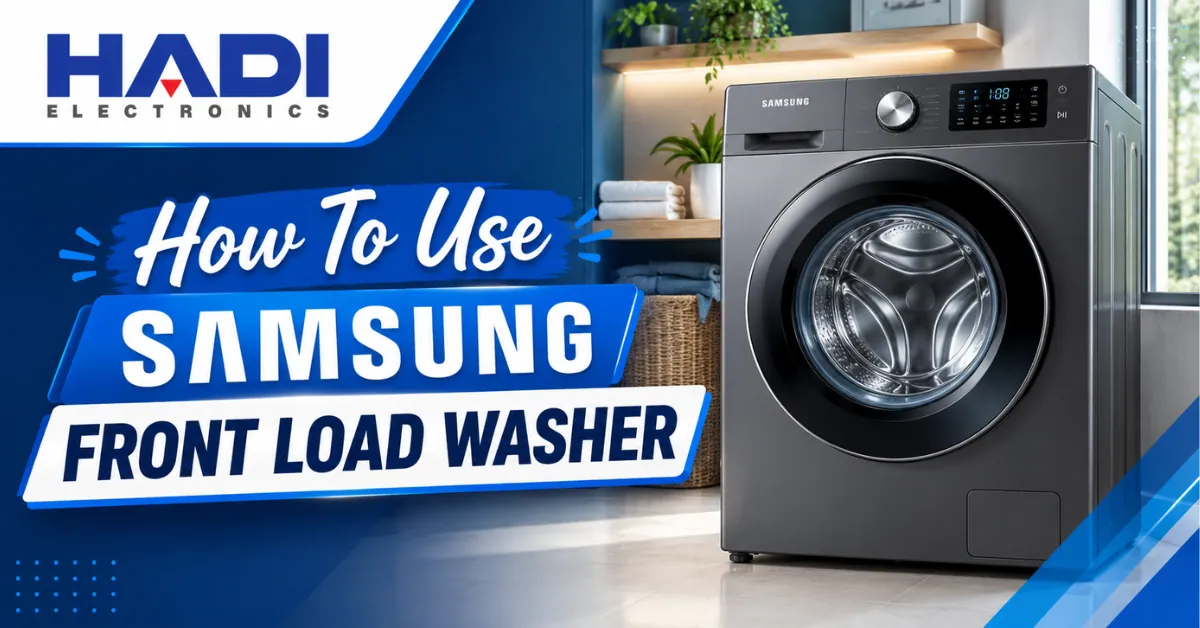
How to Use a Samsung Front Load Washer: A Complete Guide
A Samsung front load washer can make laundry easier, faster, and more convenient when you know how to use its different cycles and settings. Whether you have recently purchased a Samsung washing machine or are using one for the first time, understanding the control panel, detergent drawer, wash programs, temperature, and spin settings can help you get better washing results.
Samsung offers different front load washing machine models, so the available buttons and programs can vary. Features such as EcoBubble, Quick Wash, Steam, AI Wash, Super Speed, and SmartThings are available only on selected models. Samsung also recommends checking the user manual for the exact model because controls and cycles can differ.
In this guide, Hadi Electronics explains how to use a Samsung front load washing machine step by step.
Table of Contents
- Understanding a Samsung Front Load Washer
- How to Prepare Clothes Before Washing
- How to Load a Samsung Front Load Washer
- How to Add Detergent
- Understanding the Samsung Detergent Drawer
- How to Select a Wash Cycle
- Common Samsung Washing Machine Cycles
- How to Set Water Temperature
- How to Select Spin Speed
- How to Use Samsung EcoBubble
- How to Start a Samsung Front Load Washer
- How to Use Quick Wash
- How to Wash Different Types of Clothes
- How to Use Steam Wash
- How to Clean a Samsung Front Load Washer
- How to Prevent Bad Smells
- Common Samsung Washer Mistakes
- Samsung Front Load Washer Troubleshooting
- Frequently Asked Questions
- Final Tips
1. Understanding a Samsung Front Load Washer
A front load washing machine has a door on the front through which you add your clothes. Unlike a traditional top load washer, the drum rotates horizontally.
Depending on the model, your Samsung front load washing machine may include:
- Digital display
- Cycle selector
- Start/Pause button
- Temperature control
- Spin-speed control
- Detergent drawer
- Fabric softener compartment
- Pre-wash option
- Quick Wash
- EcoBubble
- Steam Wash
- Self Clean or Drum Clean
- SmartThings connectivity on selected models
Not every Samsung washer has all of these functions, so always check the controls available on your specific model.
2. How to Prepare Clothes Before Washing
Before putting clothes inside your Samsung washing machine, take a few minutes to prepare the laundry.
Separate Clothes
Separate laundry into suitable groups such as:
- White clothes
- Dark clothes
- Colored clothes
- Towels
- Bedding
- Delicate fabrics
- Sportswear
Check the care label on each garment before selecting a washing temperature or cycle.
Empty the Pockets
Remove:
- Coins
- Keys
- Tissues
- Pens
- Small objects
Small objects can damage clothes or potentially cause problems with the washer.
Close Zippers and Buttons
Close zippers and fasten buttons where appropriate to reduce the chance of damage during washing.
Treat Stains Before Washing
For stubborn stains, pre-treat the affected area according to the garment’s care instructions before starting the wash.
3. How to Load a Samsung Front Load Washer
Open the washer door and place your clothes inside the drum.
Avoid filling the drum excessively. Clothes need enough space to move freely during the washing process.
A simple rule is to avoid tightly packing the drum. The appropriate load size also depends on the selected cycle and your specific Samsung model.
Samsung notes that load size and cycle selection affect washing performance, and some cycles have specific maximum load recommendations.
Important Tip
Don’t assume that a larger load always means better use of the machine. For heavily soiled or bulky items, selecting the appropriate cycle and load size is more important.
4. How to Add Detergent to a Samsung Front Load Washer
One of the most common questions is:
Where do you put detergent in a Samsung front load washer?
The detergent drawer is normally located at the front of the machine.
For many Samsung front load models, the drawer contains separate sections for main wash, fabric softener, and pre-wash. However, the exact arrangement can differ between models.
Samsung recommends using HE (High Efficiency) detergent in its washing machines.
Liquid Detergent
Put liquid detergent into the appropriate main-wash compartment or liquid detergent container according to your model.
Powder Detergent
If your machine uses a removable liquid detergent insert, remove it before adding powder detergent if your model’s instructions require this.
Detergent Pods
On compatible Samsung front load models, HE detergent pods are placed directly into the drum rather than the detergent drawer. Always follow the instructions for your particular washer.
Don’t Overfill the Detergent Drawer
Never exceed the MAX marking. Using excessive detergent can leave residue on clothes and inside the machine.
5. Understanding the Samsung Washing Machine Detergent Drawer
The exact layout varies, but a common Samsung front load dispenser has three areas.
Main Wash Compartment
This is used for the main detergent.
Fabric Softener Compartment
This is designed for fabric softener and should not be filled beyond the indicated maximum level.
Pre-Wash Compartment
This is used when you select a pre-wash program.
Samsung’s current guidance explains that different front load models can have different dispenser designs, so check your model’s manual before using a compartment for a specific product.
6. How to Select a Wash Cycle on a Samsung Front Load Washer
Once your laundry is inside and detergent has been added:
- Press Power.
- Select the required washing cycle.
- Adjust temperature if necessary.
- Select the appropriate spin speed.
- Choose additional options if required.
- Close the door properly.
- Press and hold Start/Pause on models that use this control.
Samsung states that the exact procedure and controls can vary by model.
7. Common Samsung Washing Machine Cycles
Samsung front load washers can offer several washing programs depending on the model.
Normal Wash
Suitable for everyday laundry such as shirts, cotton clothes, towels, underwear, and bedding.
Quick Wash
Designed for lightly soiled clothes when you need a shorter washing time.
Heavy Duty
Useful for sturdy fabrics and heavily soiled laundry.
Delicates
Designed for garments that require gentler washing.
Bedding
Suitable for selected bulky items such as bedding, depending on the machine’s capacity and instructions.
Wool
Available on some Samsung models for machine-washable wool garments.
Rinse + Spin
Useful when clothes need additional rinsing and spinning.
Steam Wash
Selected Samsung models use steam to assist with cleaning heavily soiled laundry.
Self Clean / Drum Clean
This program is designed to clean the washing machine drum rather than your clothes.
The cycles available depend on the Samsung model.
8. How to Set Water Temperature
The correct temperature depends on the fabric and level of dirt.
Cold Water
Useful for:
- Everyday clothes
- Some colored garments
- Lightly soiled laundry
Warm Water
Can be useful for certain fabrics and more heavily soiled clothes when the garment care label permits it.
Hot Water
Should only be used when appropriate for the fabric and the selected Samsung washing program.
Always check the garment care label before choosing a high-temperature wash.
9. How to Select Spin Speed
The spin cycle removes water from clothes after washing.
A higher spin speed can remove more water, while a lower speed may be more appropriate for delicate garments.
For example:
- High spin: Towels and sturdy cotton fabrics
- Medium spin: Everyday clothes
- Low spin: Delicate fabrics
Available spin settings vary by Samsung washer model and cycle.
10. How to Use Samsung EcoBubble
Samsung EcoBubble is a feature available on selected Samsung washing machines.
The technology mixes detergent with air and water to create bubbles, helping detergent spread through laundry.
If your Samsung washer includes EcoBubble, the feature may work automatically with compatible cycles rather than requiring a separate button.
The exact EcoBubble operation depends on your model, so check the control panel and user manual.
11. How to Start a Samsung Front Load Washer
After selecting your settings:
Step 1
Press the Power button.
Step 2
Select the appropriate wash cycle.
Step 3
Check the temperature and spin settings.
Step 4
Make sure detergent has been added correctly.
Step 5
Close the door completely.
Step 6
Press and hold Start/Pause if required by your model.
The washer should lock the door and begin the selected program.
12. How to Use Quick Wash on a Samsung Washing Machine
Quick Wash is useful when you have a small load of lightly soiled clothing and don’t need a longer washing program.
It can be suitable for items such as:
- T-shirts
- Shirts
- Light everyday clothing
- Small loads
Samsung notes that Quick Wash programs can have specific load limits, so don’t assume the maximum capacity of the washer applies to every cycle.
13. How to Wash Different Types of Clothes
Cotton Clothes
Use a normal or cotton cycle where available.
Towels
Select an appropriate towels or cotton program if your model provides one. Avoid overloading because towels absorb significant amounts of water.
Bedding
Use the bedding cycle if available and make sure the load fits within your washer’s capacity.
Sportswear
Some Samsung models include an Active Wear cycle designed for washable sports clothing.
Delicate Clothes
Use a delicate or suitable low-intensity cycle and follow the garment care label.
Wool Clothes
Only machine wash wool garments that are labeled as machine washable. A dedicated wool cycle may be available on selected Samsung models.
14. How to Use Steam Wash on a Samsung Washer
Some Samsung front load washing machines offer Steam Wash or Steam Sanitize.
Steam-related programs are designed for particular types of laundry and may use higher temperatures.
Before selecting a steam program, check:
- Fabric care label
- Washer manual
- Maximum load recommendation
- Recommended temperature
Not every Samsung front load washer includes a steam function.
15. How to Clean a Samsung Front Load Washer
Regular washer maintenance is important for keeping the machine fresh and operating properly.
Many Samsung washing machines include a Self Clean, Pure Cycle, or Self Clean+ program depending on the model.
These cycles are designed to clean the washer itself rather than wash clothing. Samsung recommends regular use of the appropriate self-cleaning cycle, with frequency depending on the model.
Clean the Detergent Drawer
Remove detergent residue regularly and clean the drawer and its housing.
Clean the Door Seal
Check the rubber door gasket for:
- Hair
- Lint
- Dirt
- Detergent residue
- Moisture
Wipe it clean and allow it to dry.
Keep the Door Slightly Open
After washing, leaving the door open when practical allows the interior to dry and can help reduce unpleasant odors.
16. How to Prevent Bad Smells in a Front Load Washer
A common issue with front load washing machines is unpleasant odor caused by moisture and residue.
To help keep your Samsung front load washer fresh:
- Don’t use excessive detergent.
- Clean the detergent drawer regularly.
- Wipe the door seal.
- Run the appropriate self-clean cycle.
- Remove wet clothes after the wash finishes.
- Allow the washer interior to dry.
Samsung also warns that excessive detergent can contribute to buildup inside the washer.
17. Common Samsung Front Load Washer Mistakes
Using Too Much Detergent
More detergent doesn’t necessarily mean cleaner clothes. Excess detergent can create residue and washing problems.
Overloading the Drum
Overloading can restrict movement of clothes and affect cleaning.
Choosing the Wrong Cycle
A delicate garment may not be suitable for a heavy-duty program.
Ignoring Care Labels
Always check clothing labels before selecting temperature and cycle settings.
Leaving Wet Clothes Inside
Remove laundry after the cycle to help prevent unpleasant odors.
Not Cleaning the Washer
Regular maintenance helps keep the machine in good condition.
18. Samsung Front Load Washer Troubleshooting
Sometimes a Samsung washing machine may display an error code or fail to operate as expected.
Common issues can include:
- Washer not draining
- Washer not spinning
- Door not opening
- Water supply problems
- Excessive vibration
- Detergent residue
- Unusual noise
- Error codes
Samsung provides model-specific troubleshooting and support resources, including guidance for issues such as draining and spinning.
If an error code appears, don’t guess the meaning. Check the user manual for your exact model or use Samsung’s official support resources.
Frequently Asked Questions About Samsung Front Load Washers
How do I start my Samsung front load washing machine?
Turn on the washer, select the appropriate cycle, adjust the available settings, close the door, and press or hold Start/Pause, depending on the model.
Which detergent should I use in a Samsung front load washer?
Samsung recommends HE (High Efficiency) detergent for its washing machines.
Where do I put liquid detergent in a Samsung front load washer?
Usually, liquid detergent goes into the main-wash compartment or the designated liquid detergent container in the detergent drawer. The exact drawer design varies by model.
Can I use powder detergent in a Samsung washing machine?
Yes, compatible Samsung front load models can use powder detergent. If your machine has a liquid detergent insert, follow the model instructions regarding its removal before adding powder.
Can I put detergent pods in a Samsung front load washer?
Compatible HE detergent pods are generally placed directly inside the drum rather than the detergent drawer. Check your specific model’s instructions.
What is EcoBubble in a Samsung washing machine?
EcoBubble is a Samsung washing technology available on selected models that mixes detergent, water, and air to create bubbles to help distribute detergent through the laundry.
How often should I clean my Samsung front load washer?
Use the Self Clean, Pure Cycle, or equivalent program according to your model’s recommendations. Samsung says some front load models recommend a self-clean cycle approximately every 40 washes.
Why does my Samsung washer smell bad?
Odors can develop from moisture, detergent residue, and buildup. Cleaning the detergent drawer, door seal, and running the washer’s appropriate self-cleaning cycle can help.
Why is my Samsung washing machine not spinning?
Possible causes can include an unbalanced load, drainage problems, or an error condition. Check the display for an error code and consult the manual for your exact model. Samsung provides model-specific troubleshooting for no-spin and drainage issues.
Samsung Front Load Washer Tips for Better Washing Results
For consistently good results, remember these simple tips:
1. Don’t overload the washer.
Give clothes enough room to move.
2. Use the correct detergent.
HE detergent is recommended for Samsung washers.
3. Choose the right cycle.
Match the program to the type and condition of your laundry.
4. Don’t use excessive detergent.
Follow the detergent manufacturer’s instructions and the washer’s MAX marking.
5. Clean the washer regularly.
Use the appropriate Self Clean or Drum Clean program.
6. Check clothing labels.
Temperature and washing requirements can vary significantly between fabrics.
7. Read the manual for your exact model.
Samsung washing machines can have different controls, cycles, and dispenser designs.
Final Thoughts
Learning how to use a Samsung front load washer is easier once you understand the basic controls and washing programs. Start by sorting your clothes, loading the drum correctly, adding the appropriate amount of HE detergent, selecting the right cycle, and adjusting temperature and spin settings when necessary.
Samsung offers a wide range of front load washing machines, from basic models to machines with EcoBubble, Steam, AI Wash, Super Speed, Auto Dispense, and SmartThings features. Because functions vary between models, always refer to the manual for your particular washing machine.
If you’re looking for Samsung washing machines in Pakistan, Hadi Electronics can also help you understand the available models, features, capacity, and washing programs before making a purchase.